
- Catalog
- Services
- About company
- For customers
- Blog
- Contacts
Language and delivery country
English · United States
A dermatologist needs not only a high-quality dermatoscope, but also the ability to take high-resolution images. To use the DELTA 30 / DELTA 30 PRO dermatoscope with a camera, HEINE offers its clients two possible solutions.
In this case, the HEINE SLR | SLM FLOW photo adapter is attached to the lens, and then the dermatoscope itself is connected (magnetically) to the adapter.
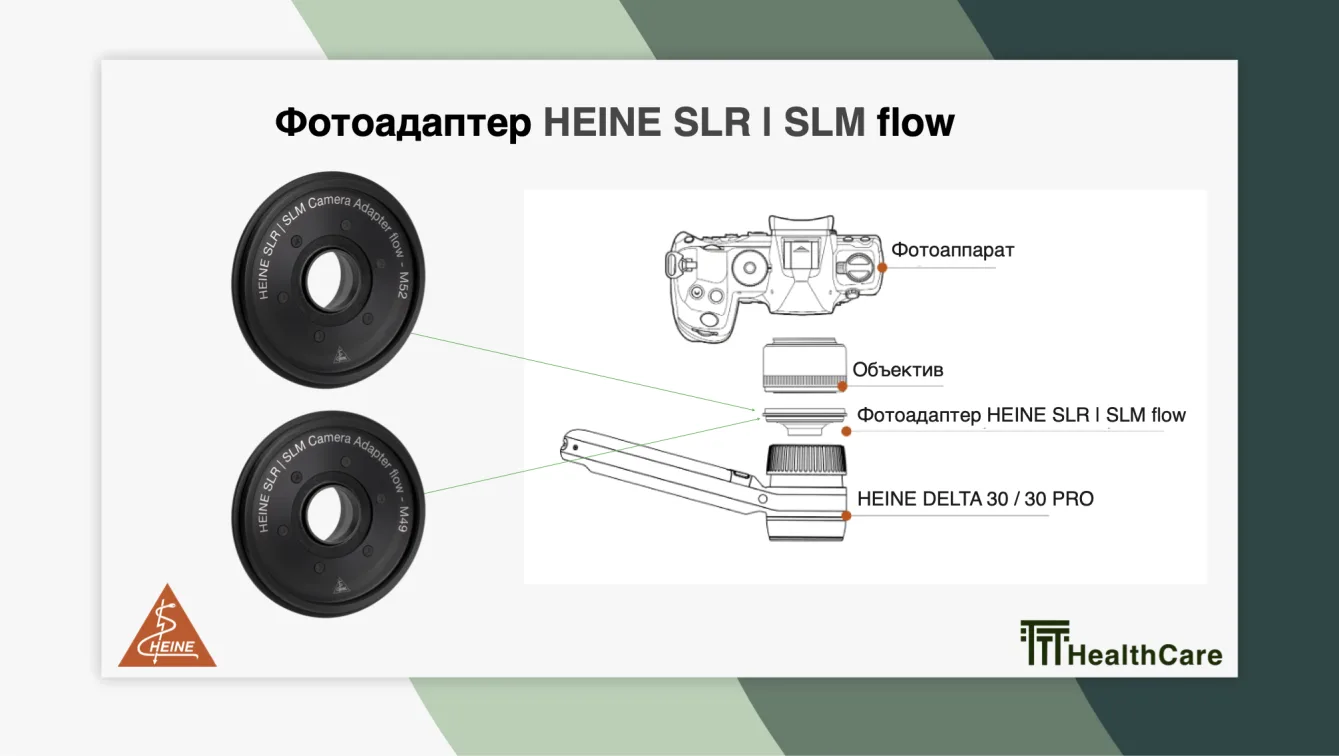
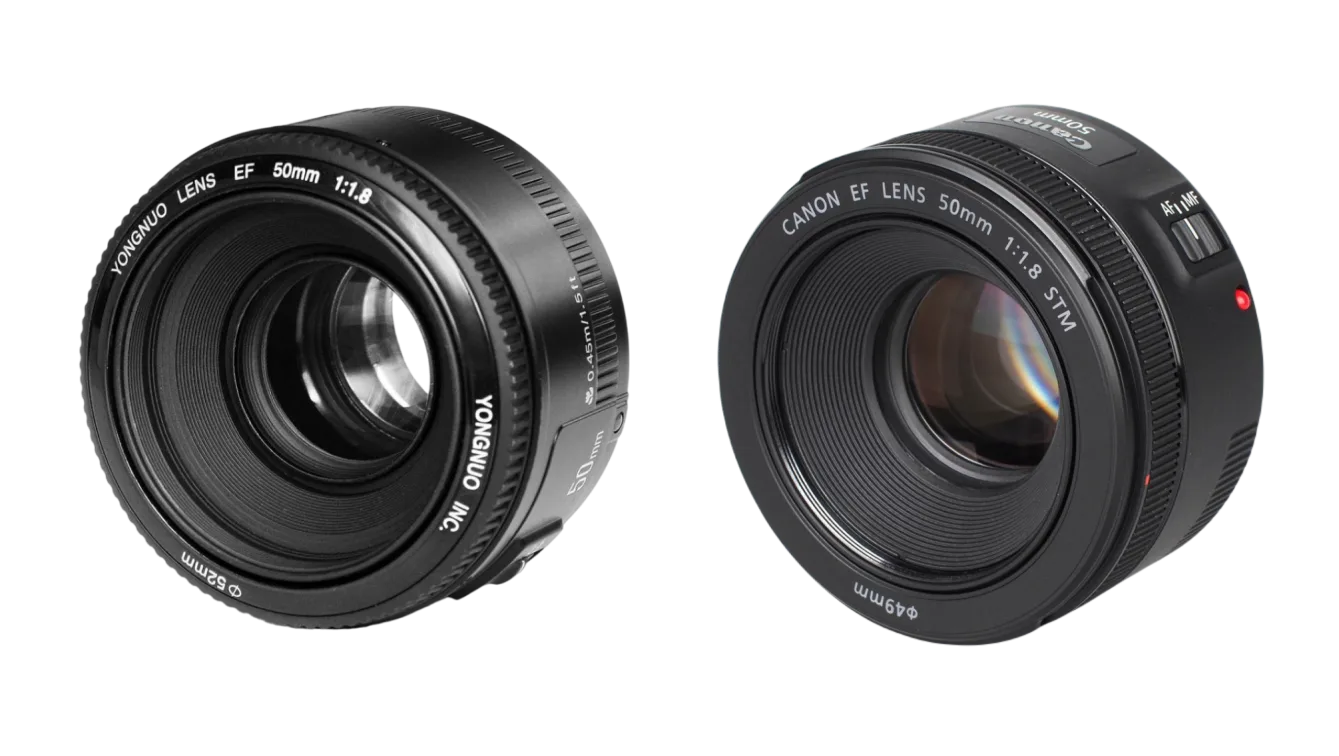
Every camera lens has an internal thread for filters. Each lens has a diameter symbol (Ø) with a number next to it in millimeters – this is the size of the internal filter thread. Camera lenses come with many thread sizes, but HEINE has chosen thread sizes that fit not very expensive and the most common cameras.
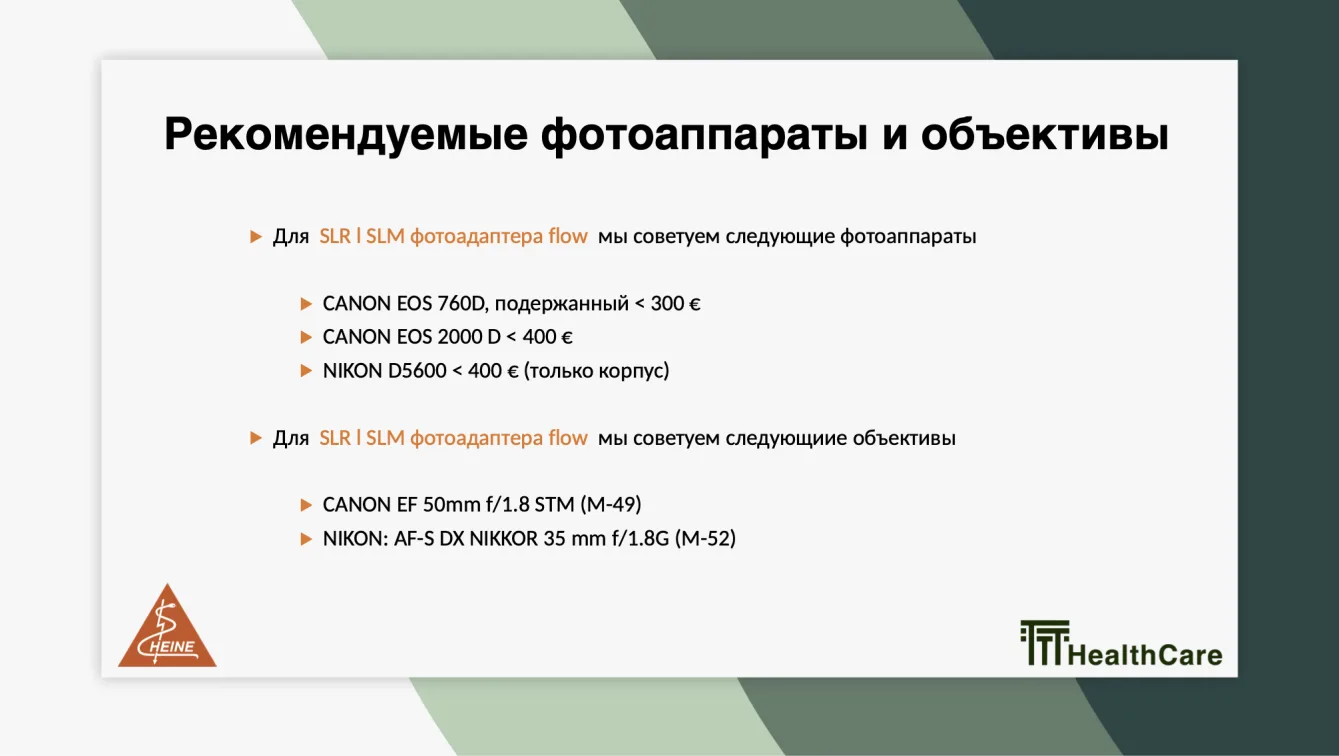
So, we have two photo adapters SLR | SLM FLOW for internal threads of 49 mm and 52 mm. Let’s look at these two options. Suppose a doctor purchased a dermatoscope and now wants to buy a camera for it. In this case, we should recommend budget camera options that are compatible with our two SLR | SLM FLOW adapters. HEINE has selected such models and compiled them into a table, including the corresponding SLR | SLM FLOW photo adapters.
Now let’s consider a situation where the doctor already owns a camera. What should they do in this case? If the lens shows an internal thread size of 49 mm, then we choose the SLR | SLM FLOW adapter K-000.34.147, and if it shows 52 mm, we choose the adapter SLR | SLM FLOW K-000.34.148. In this case, we are not interested in which camera model the doctor has, but only the internal thread size of the lens.
If the lens has another internal thread size, not 49 mm or 52 mm, then we cannot use the SLR | SLM FLOW adapter.
In this case, the camera lens is removed, then a T2 adapter is mounted in its place, the universal HEINE SLR | SLM photo adapter-lens is attached to the T2 adapter, and the dermatoscope is magnetically attached to it.
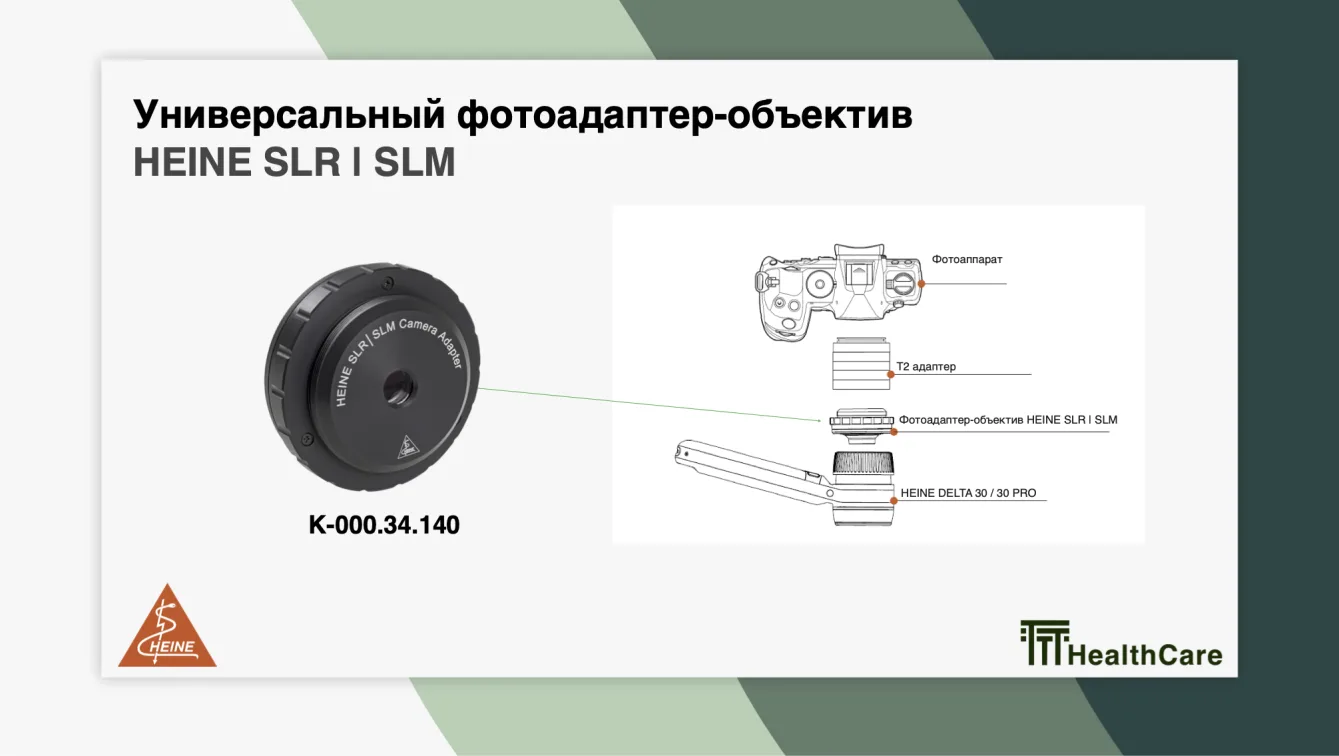
For this case, HEINE offers another method of connecting the dermatoscope to the camera. HEINE suggests using the universal SLR | SLM photo adapter-lens. Each camera manufacturer uses its own bayonet mount (non-threaded connection) to attach a lens to the camera body, so it is necessary to use an accessory that allows you to connect the universal HEINE photo adapter-lens to the camera body, since the native camera lens cannot be used. For this, the photo industry invented a connection standard – the T2 adapter – back in 1957.
We will now look at different manufacturers and camera models to understand how to select the correct set of the HEINE photo adapter-lens and T2 adapter for each. All existing cameras are divided by brand:
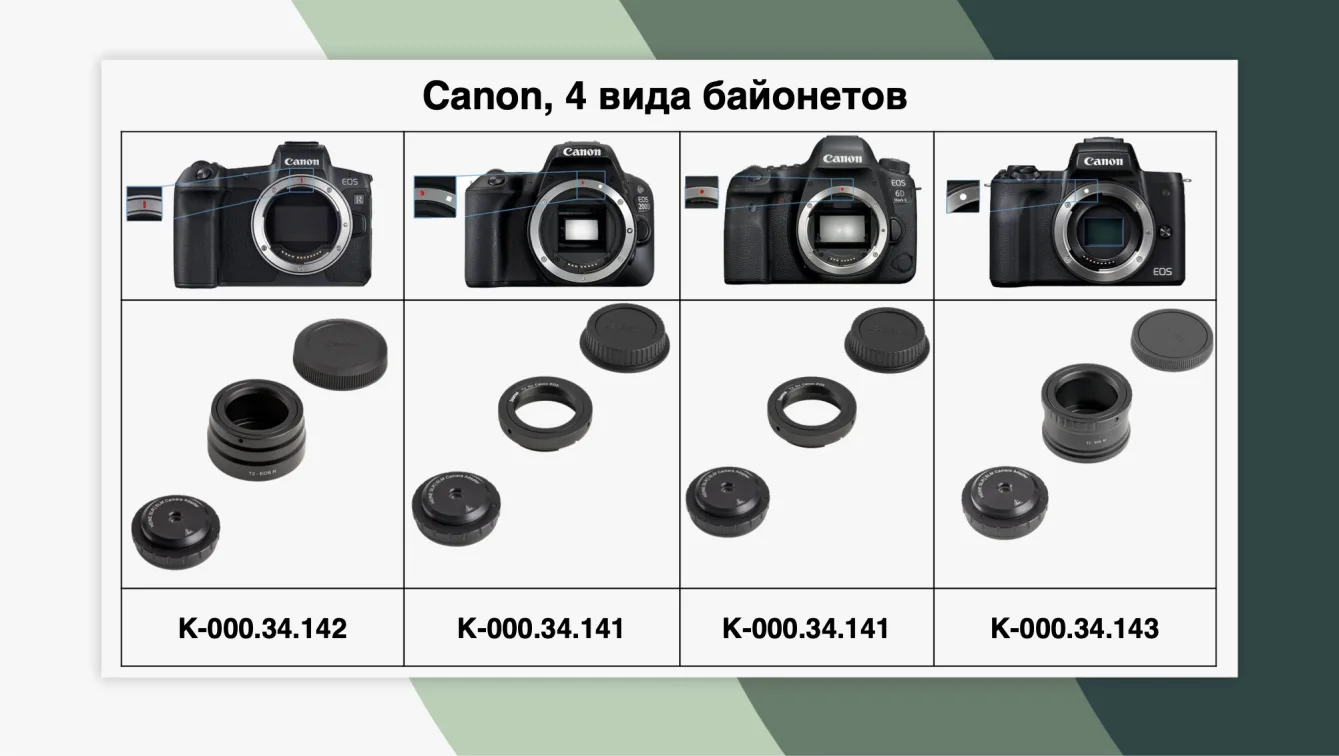
Canon uses four types of bayonet mounts, which can be easily identified. On the camera body, there will be one of four symbols: red line, red dot with white square, red dot, or white dot.
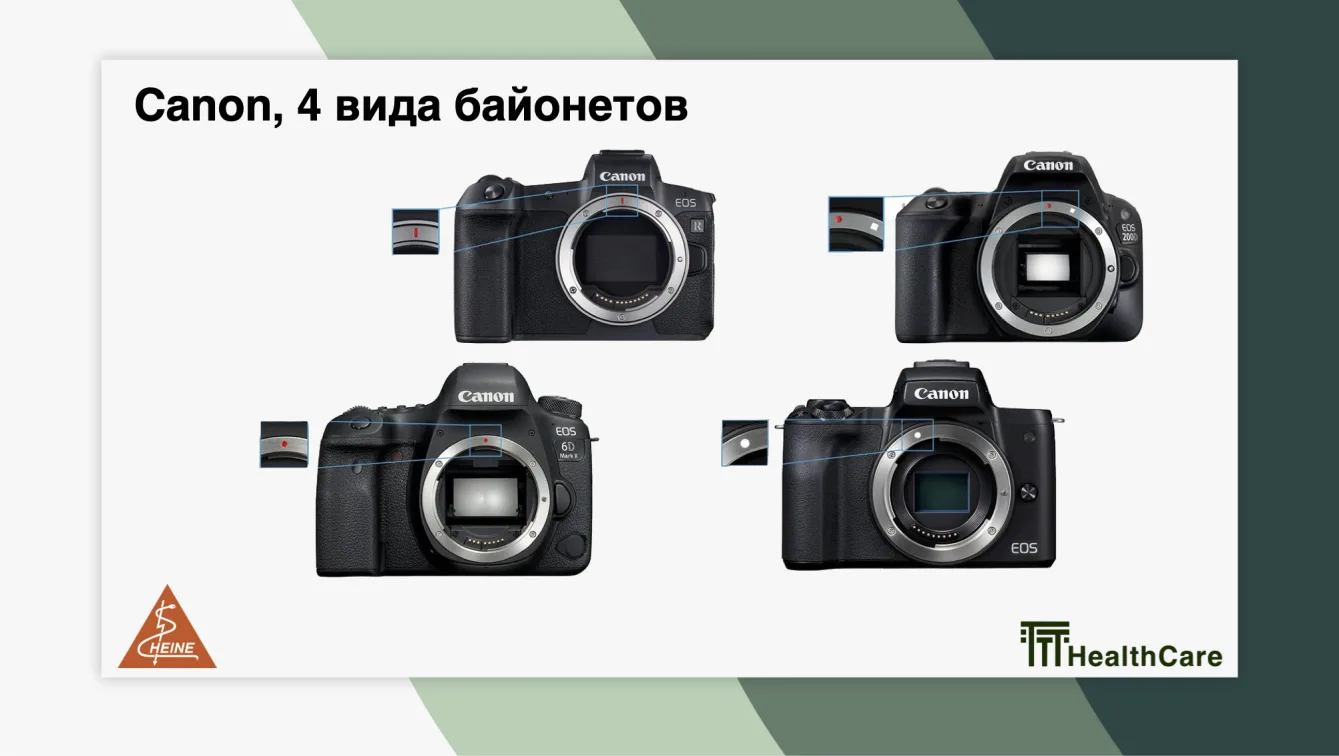
For each of these bayonets, HEINE offers a set consisting of the universal HEINE photo adapter-lens and a T2 adapter. We have created a table to help users quickly and correctly select the right set for their needs.
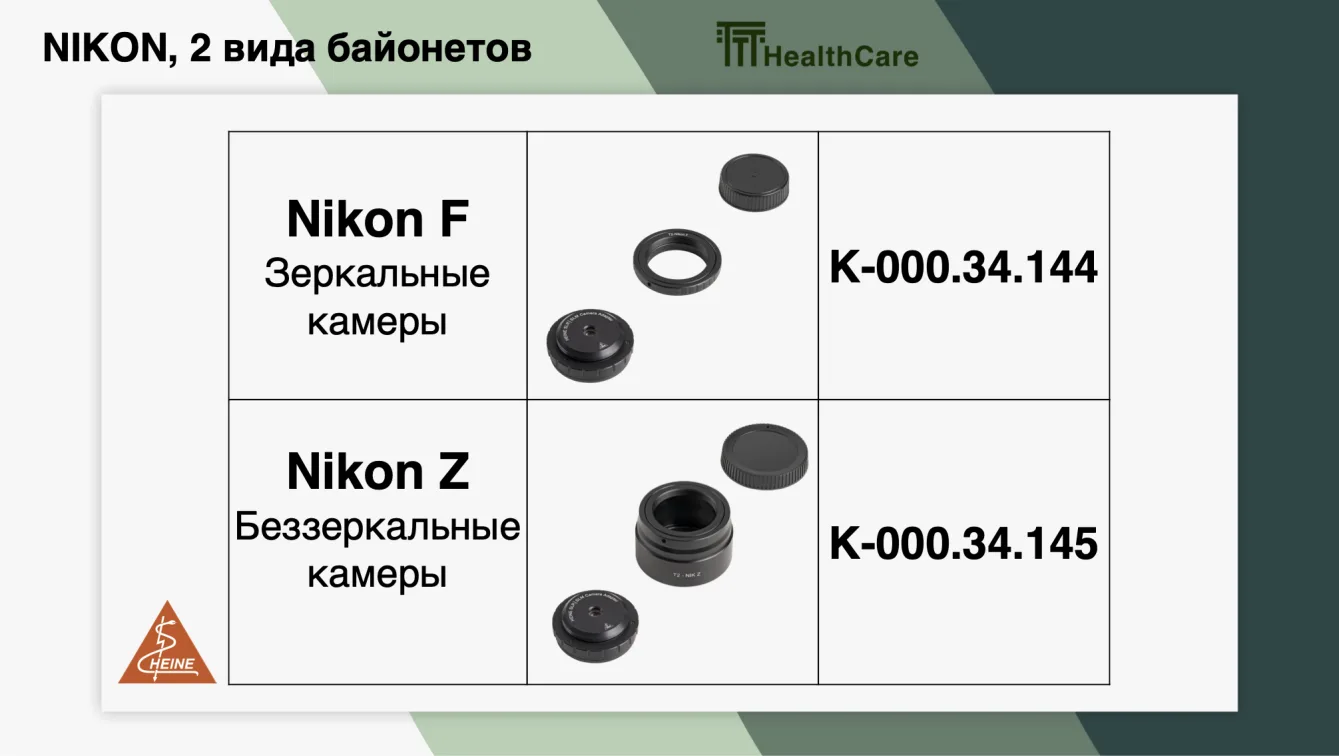
NIKON has only two types of bayonet mounts: F for DSLR cameras and Z for mirrorless cameras:
Sony has two bayonet types: E-mount and A-mount. For the E-mount, HEINE offers set K-000.34.146:
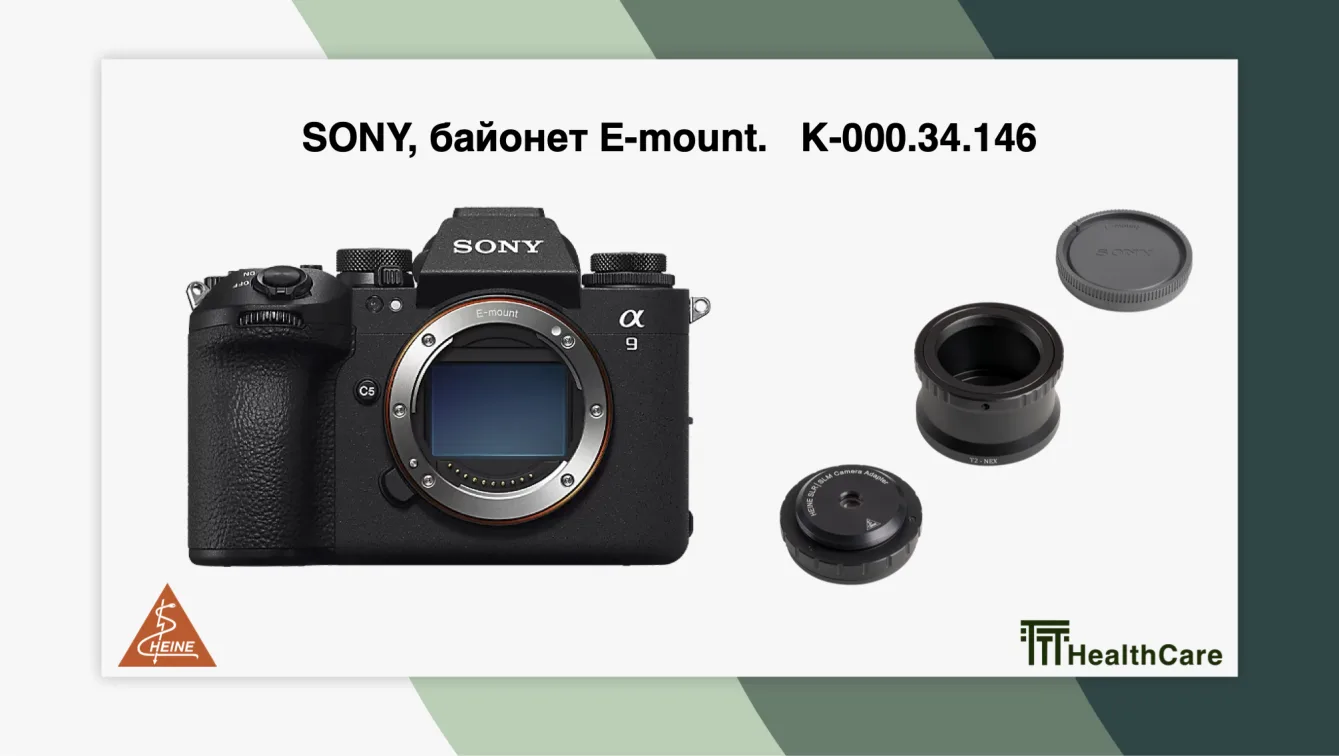
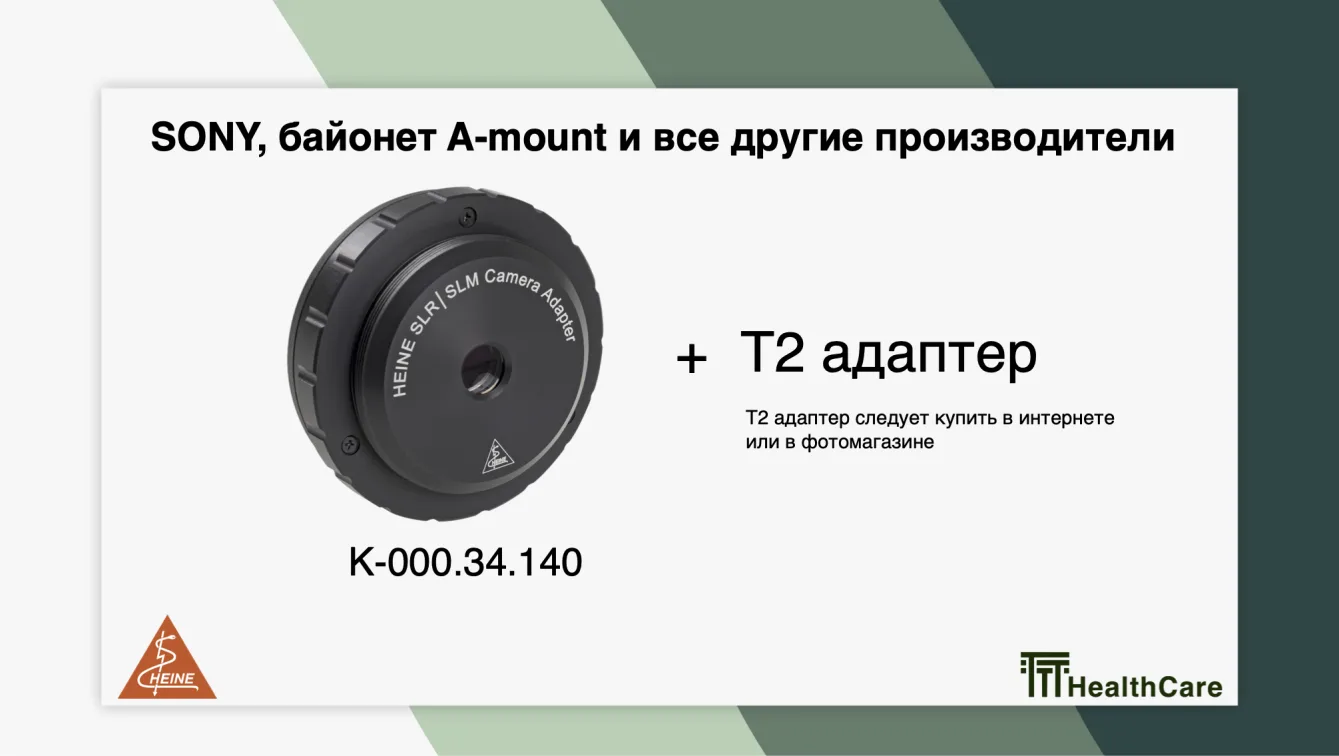
If the Sony camera body does not indicate the bayonet type, then it is an A-mount. For all other cameras, from any manufacturer, including Sony with A-mount, the following solution is offered: purchase the universal HEINE photo adapter-lens cat. no. K-000.34.140, and then select a T2 adapter for your camera model online or at a camera store.
That’s it.
TTT HealthCare, HEINE’s primary partner in the countries of the former Soviet Union, organised a two-day educational programme at the HEINE Optotechnik manufacturing facility in Gilching (Munich, Germ
The catalog on the website has already been updated.
The catalog on the website has already been updated.
Product successfully added to cart
Go to cart